The OpenStack Project User
In addition to the NWS‑ID there is the possibility to interact with the NETWAYS Cloud via the OpenStack Project User.
This user has to be activated once and can then be used in integrations such as the OpenStack CLI, Terraform or Horizon.
First‑time activation of the project user
After successfully logging in to MyNWS with your NWS‑ID and navigating to one of your OpenStack projects, you will find the settings for the project user in the Get Started tab in the OpenStack Project User panel:
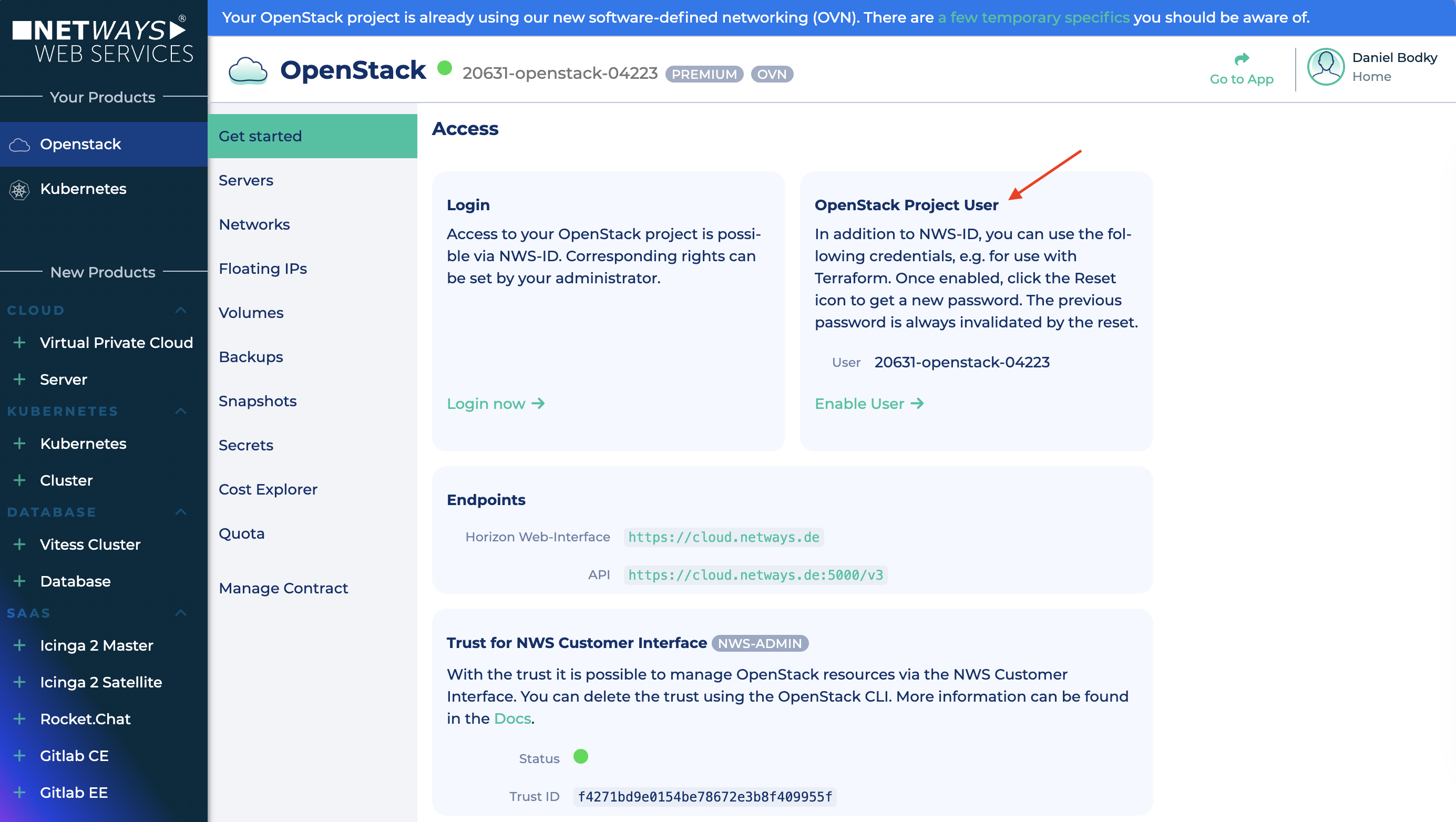
Clicking Enable User starts the activation process. After a few seconds the Name and Password of the project user are displayed:
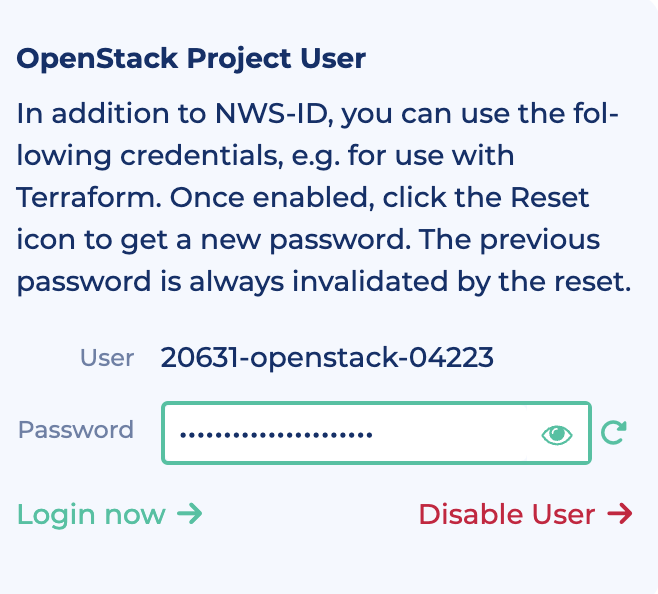
Clicking Login now forwards you to Horizon.
Renewing the project‑user password
The password of the project user can be reset at any time, for example if existing credentials have been accidentally published or compromised.
For this, simply click the Renew icon in the OpenStack Project User panel of the Get Started tab of your OpenStack project in MyNWS.
Deactivating the project user
The project user can be de‑ or re‑activated at any time. To do this, click Disable User in the OpenStack Project User panel of the Get Started tab of your OpenStack project in MyNWS.
For re‑activation, click Enable User as described in the first section.