Rate Limiting
It is possible to define rate limits for models. These can be set globally for all API keys or individually per API key.
The rate limit determines how many tokens may be processed within a given time period. The time period can be specified in hours. If a global rate limit is defined, it automatically also applies to newly created API keys.
Setting a Global Rate Limit
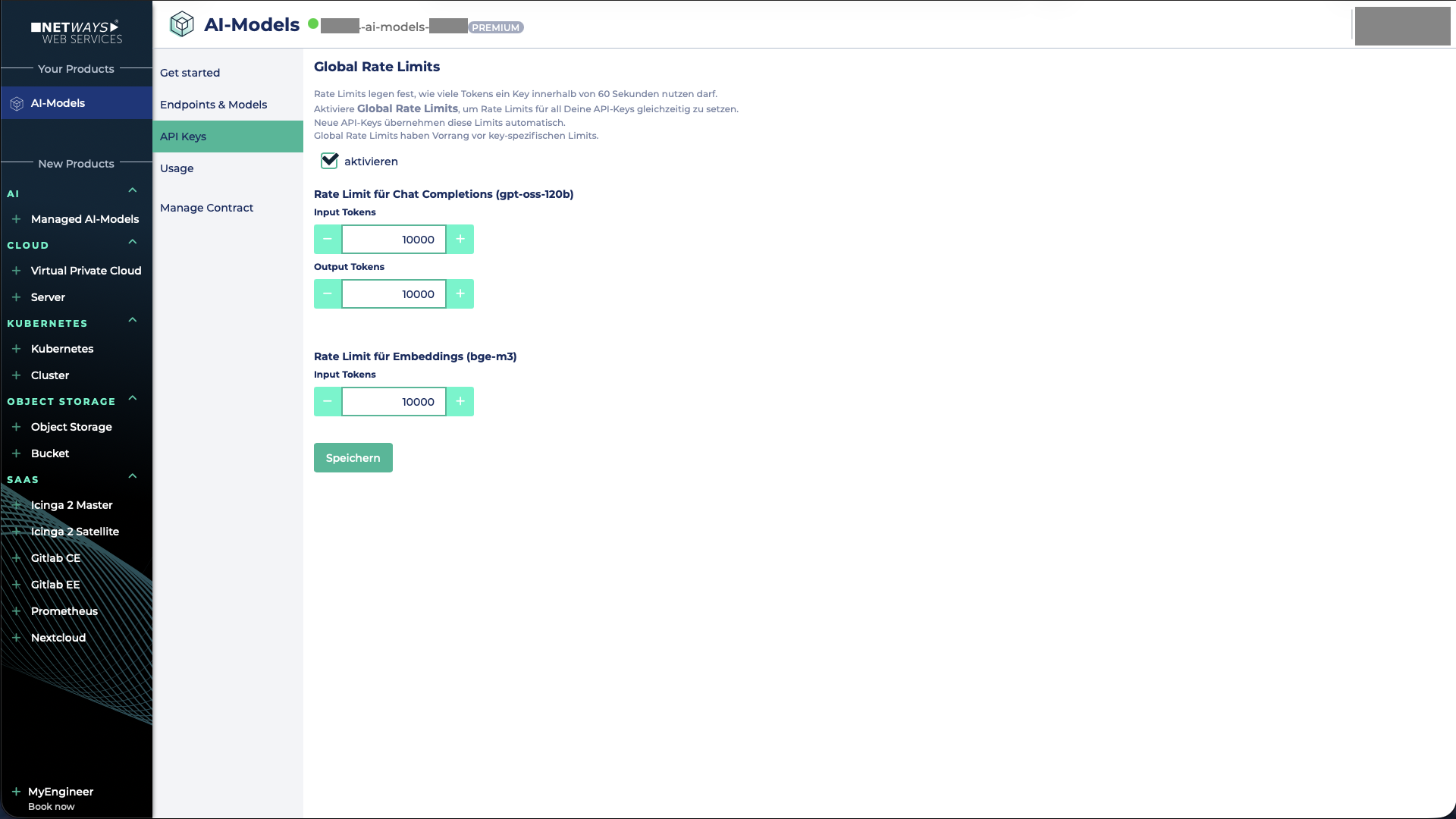
First, you need to navigate to the Global Rate Limits tab.
To enable the rate limit, the corresponding checkbox must be selected.
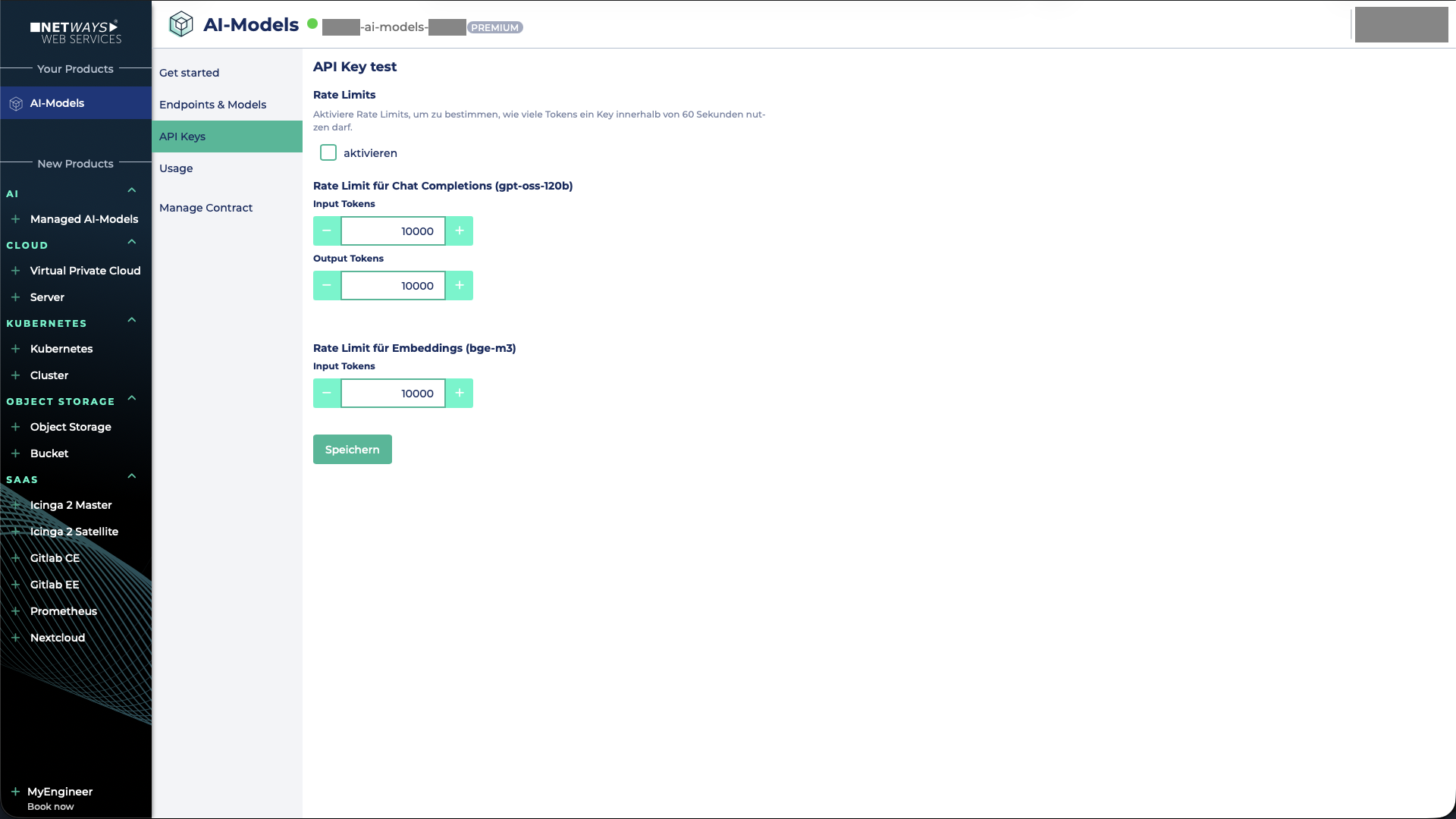
Afterwards, both the Input and Output Token Limit can be set for the model Qwen3.8-27B.
For the embedding model bge-m3, only an Input Token Limit can be defined, as this model does not generate output tokens.
There is no rate limit for bge-reranker-v2-m3.
Finally, the settings must be saved. After a short while, the defined limits will be active.
Setting a Rate Limit per API Key
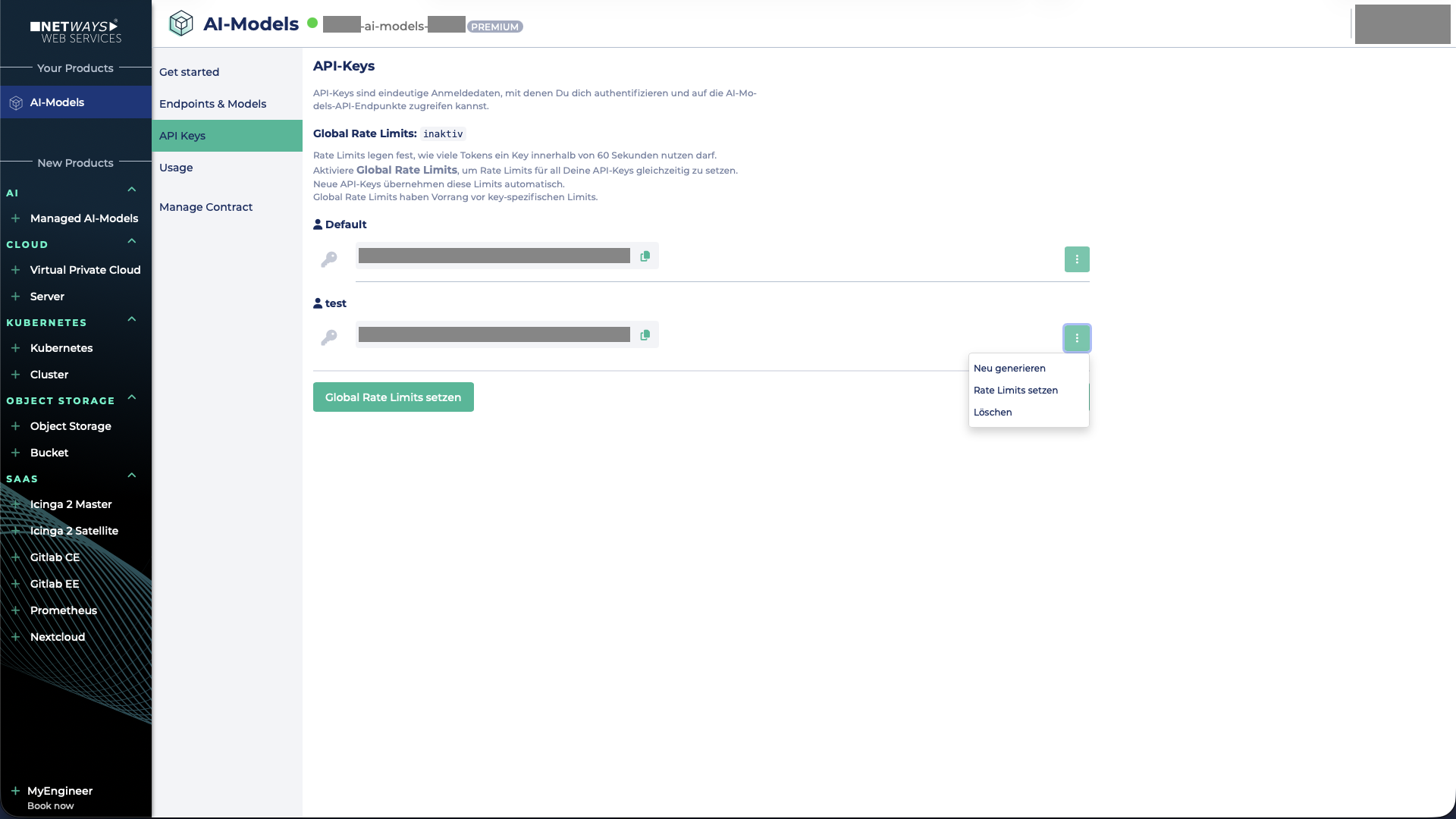
To configure a rate limit for a single API key, you must click on the API key and then select Set Rate Limits.
The time period can be specified in hours.
Note
A global rate limit overrides existing rate limits for individual API keys!
Afterwards, both the Input and Output Token Limit can be set for the model Qwen3.8-27B.
For the embedding model bge-m3, only an Input Token Limit can be defined, as no output tokens are generated.
There is no rate limit for bge-reranker-v2-m3.
After saving the settings, the limits will take effect after a short while.