Cloud Scheduler
The scheduler of the NETWAYS Cloud is responsible for distributing virtual machines onto suitable hosts. Primarily, it compares the resource requirements of a VM with the free resources of potential hosts and then selects an appropriate host.
As a customer, you also have the option to influence the scheduler's selection for your own VMs.
Flavors
By choosing a Flavor, the possible hosts that should run the future VM are determined first. A virtual machine that, for example, requires a GPU or a dedicated CPU according to its flavor definition will therefore only be run on hosts that provide the corresponding hardware.
Availability Zones
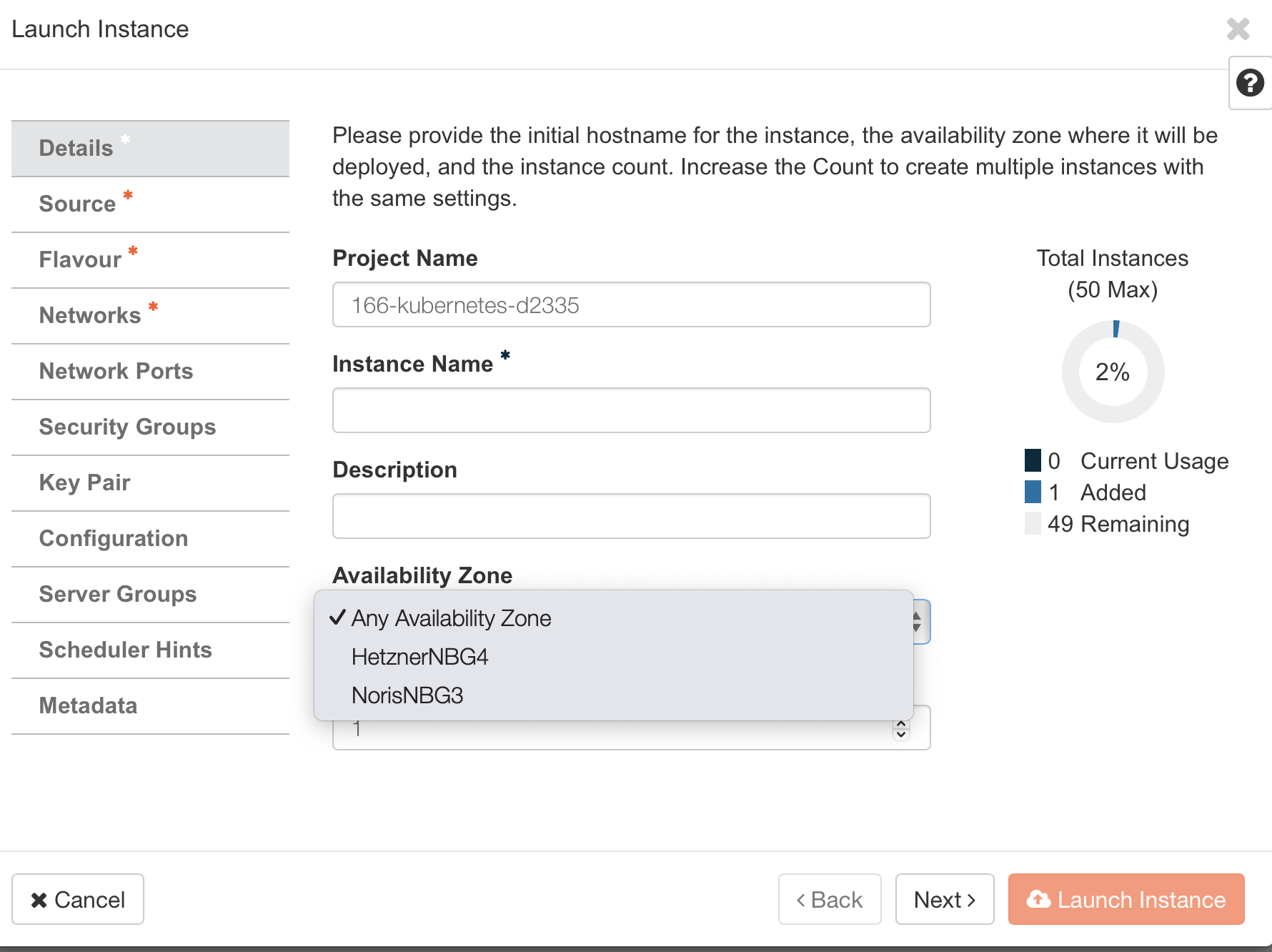
Setting an Availability Zone further narrows the group of possible hosts. A virtual machine is started, according to its assigned Availability Zone, only in that specific availability zone (or aggregation group).
The Nuremberg region currently supports the following AZs:
- HetznerNBG4
- NorisNBG3
The Availability Zone can be selected either via the OpenStack web interface or the CLI:
List available AZs:
Start a VM and assign it to an AZ:
Availability Zone
The Availability Zone cannot be changed after the VM has been created.
Affinity and Anti‑Affinity (Server Groups)
Server Groups provide a way to influence the locality of VMs relative to other VMs. You can set an affinity (on the same host) or an anti‑affinity (on a different host).
For example, if you want to keep the latency between one VM and another as low as possible, affinity—running the VMs on the same host—is advantageous, while anti‑affinity can improve resilience and load distribution of applications.
Create a server group:
Start a VM and add it to a server group:
Available policies:
affinity: Restricts VMs that belong to the server group to the same host.anti-affinity: Restricts VMs that belong to the server group to separate hosts.soft-affinity: Tries to keep the VMs that belong to the server group on the same host. If it is not possible to place all VMs on a single host, they are placed together on as few hosts as possible.soft-anti-affinity: Tries to spread the VMs that belong to the server group across separate hosts. If it is not possible to place all VMs on separate hosts, they are placed on as many separate hosts as possible.max_server_per_host: Specifies the maximum number of instances that can be scheduled on a given host when using the anti‑affinity policy. This rule is not compatible with other policies.