Air-Gapped Backup
Air-Gapped Backups are offline backups that are isolated shortly after completion and are no longer accessible via the network. They protect, for example, against ransomware attacks or other catastrophic events. This separation creates an additional barrier that ensures that even in the event of infrastructure compromise, the backup remains untouched. Backups can be archived for a quarter (q1), half a year (q2), or a full year (q4).
Activation
Air-Gapped Backups can be activated for all volumes and PVCs via the Customer Interface:
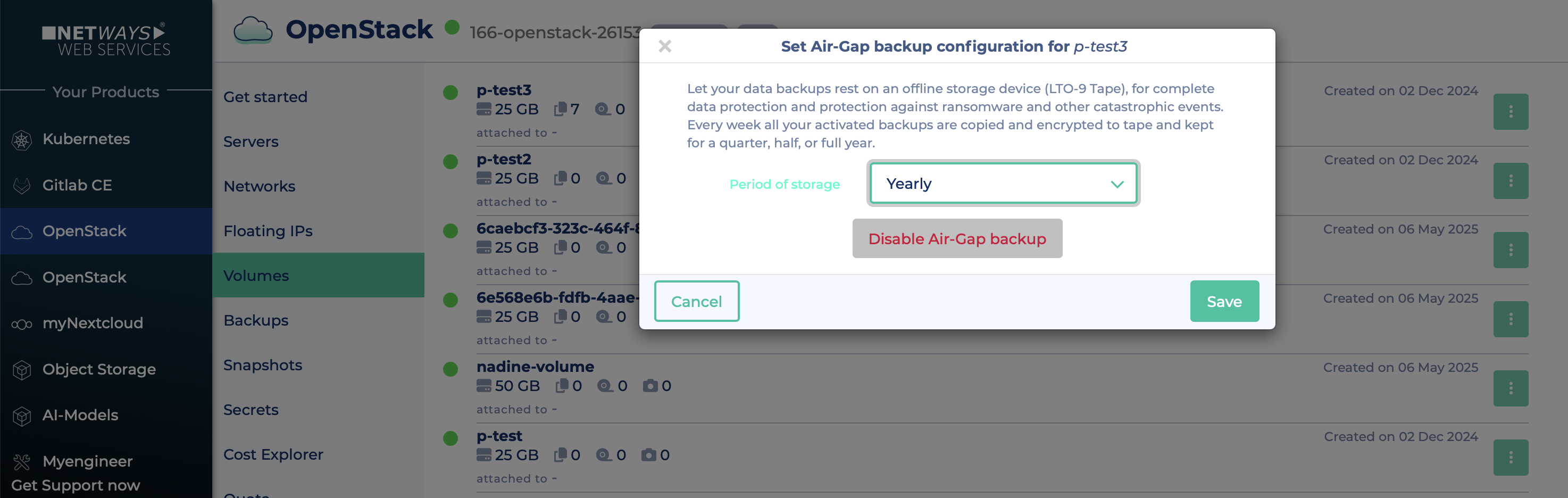
or via the OpenStack Command Line Interface:
openstack volume set --property cinder-archive='true' <UUID>
openstack volume set --property cinder-archive-rotation='q4' <UUID>
Enable Regular Backups
Air-Gapped Backups can only be created on Cloud Volumes or PVCs that have regular backups enabled!
Functionality
- All volumes or PVCs configured for Air-Gapped Backup are backed up once per week.
- The full backup and all available incremental backups (snapshots) of the volume are exported from the backup cluster, compressed, and encrypted onto an LTO-9 tape.
- Once the weekly backups have been completed, the tape is taken offline within the autoloader.
- At least once a month, all written tapes are replaced and securely stored at a safe location outside the data center for the selected duration.